
Asset Log: Maintenance Tracker
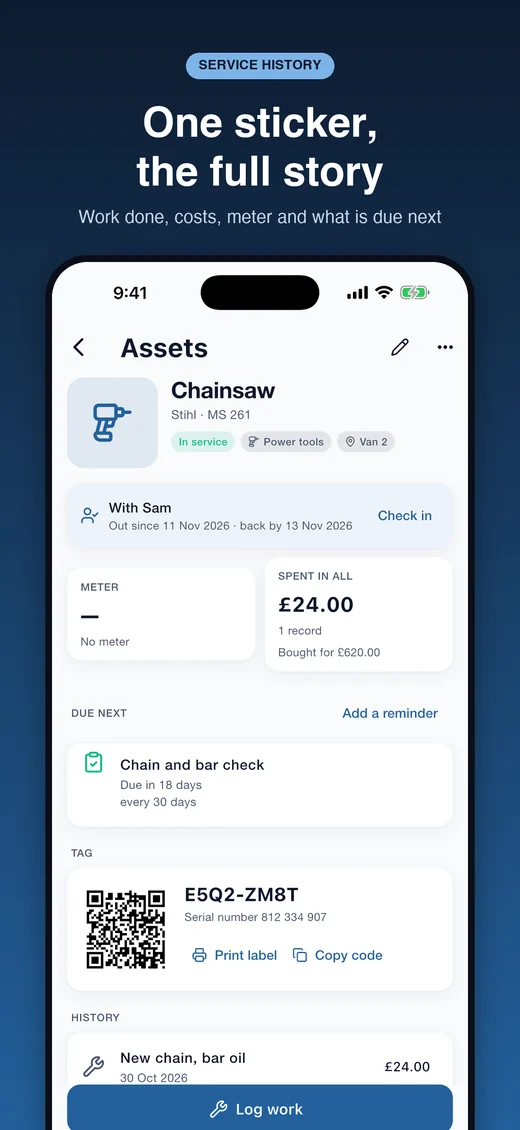
Asset Log is a maintenance log for the things a small business or a household depends on: mowers and diggers, vans and trailers, power tools, boilers, generators. Give each one a QR sticker, scan it, and its whole history is in your hand: the work done, what it cost, the meter reading and what is due next. There is no account to create and no limit on how many assets you keep. Everything stays on your phone, and the same log opens in a browser on your own Wi-Fi.


 Scan to get it
on your phone
See it in action
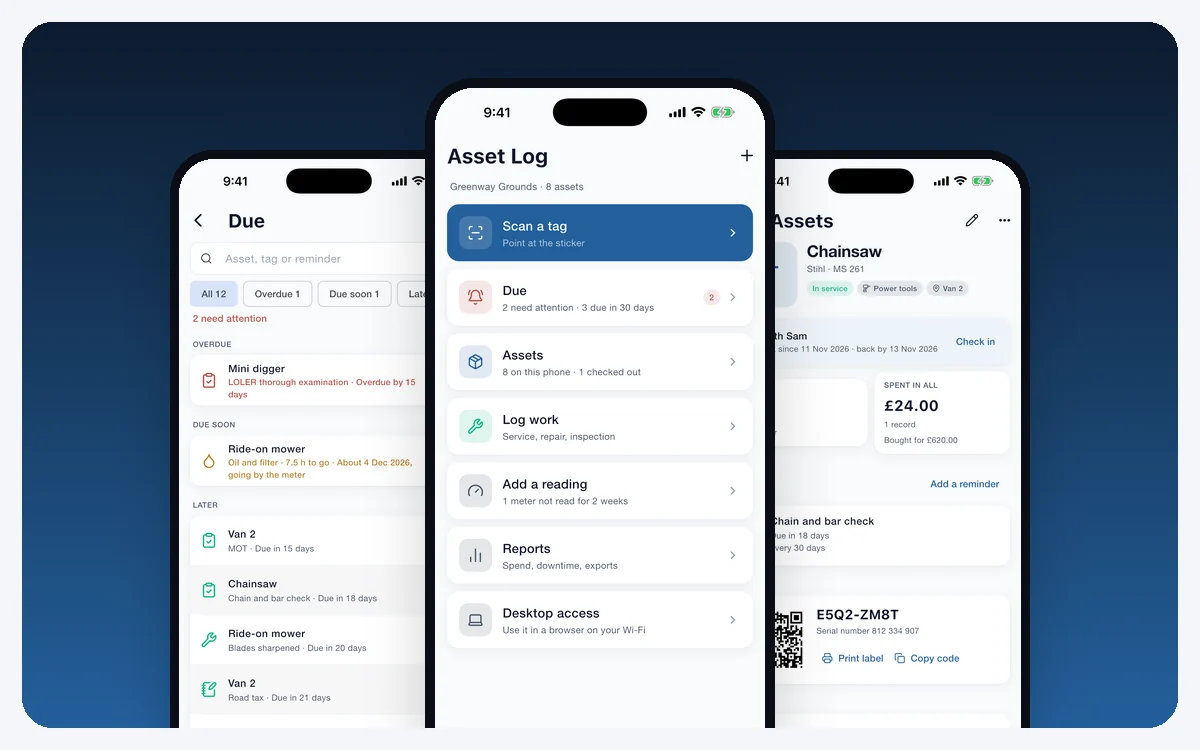
QR labels, scanning, logging work, meter readings, reminders, check-out, reports and backup, on your phone and in a web browser.
What defines it
Every feature
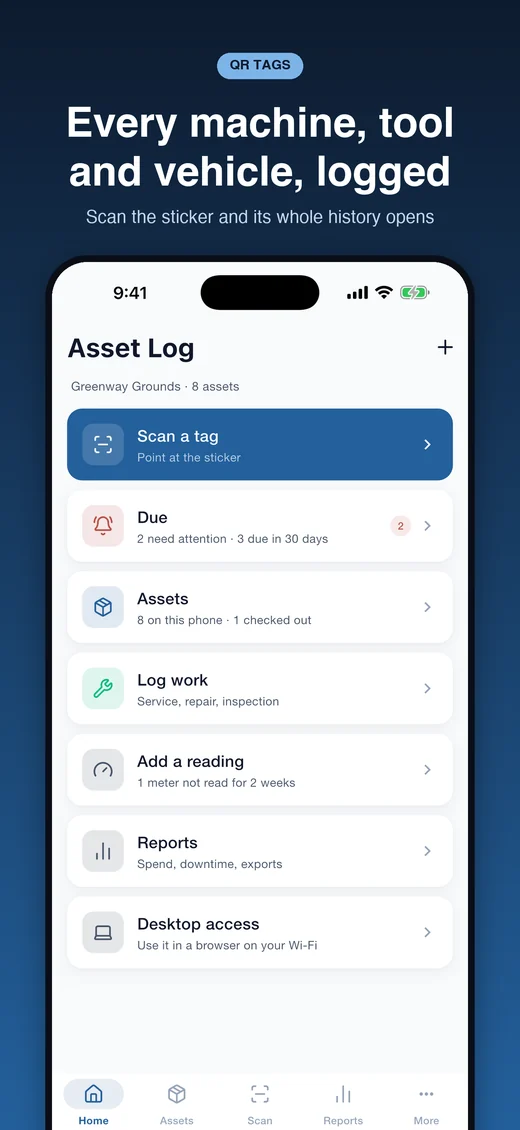
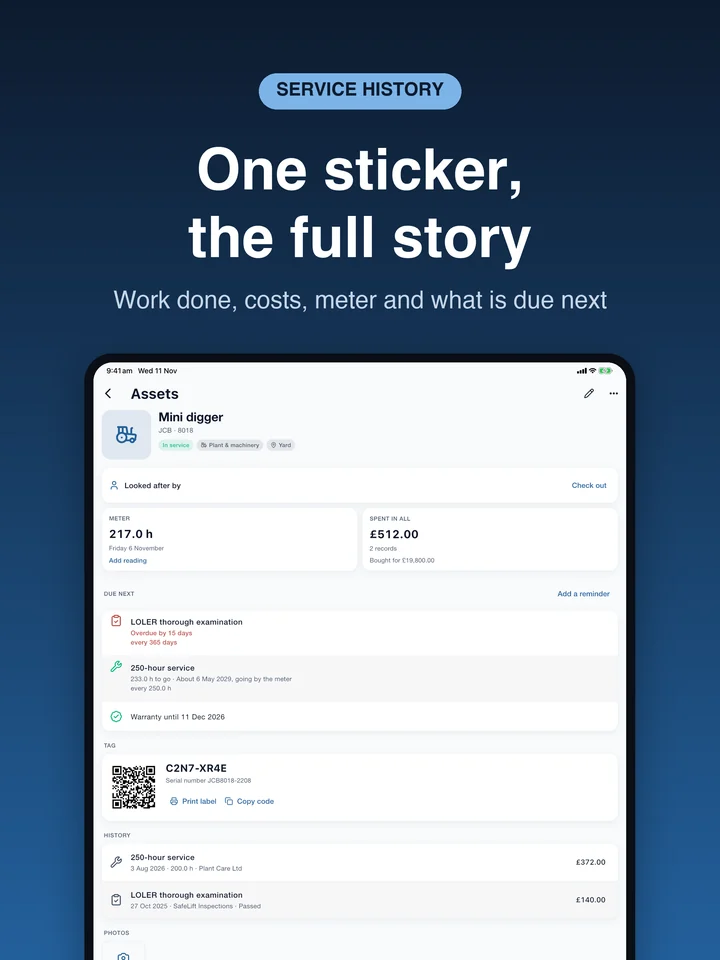
Stick, scan, log
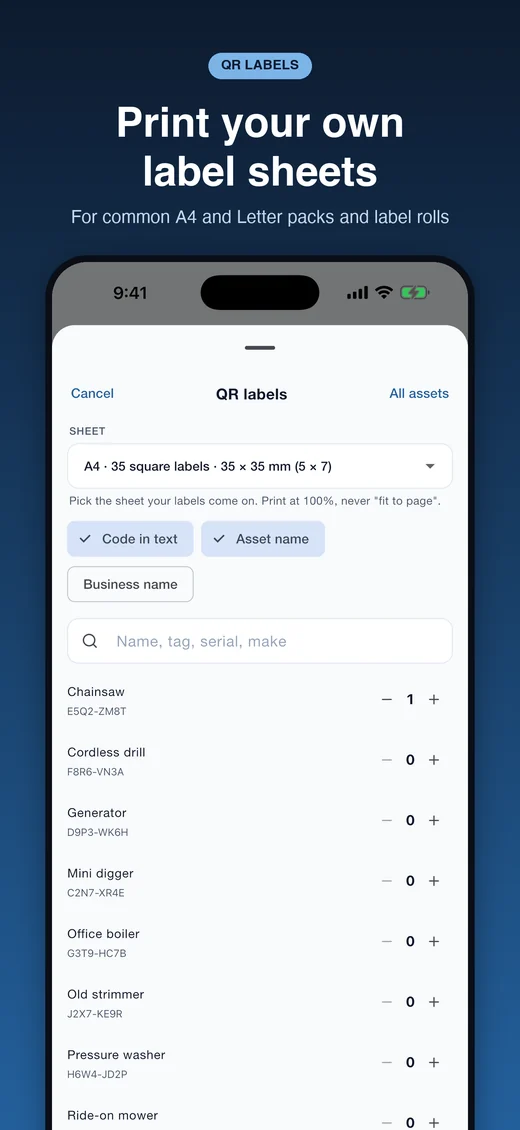
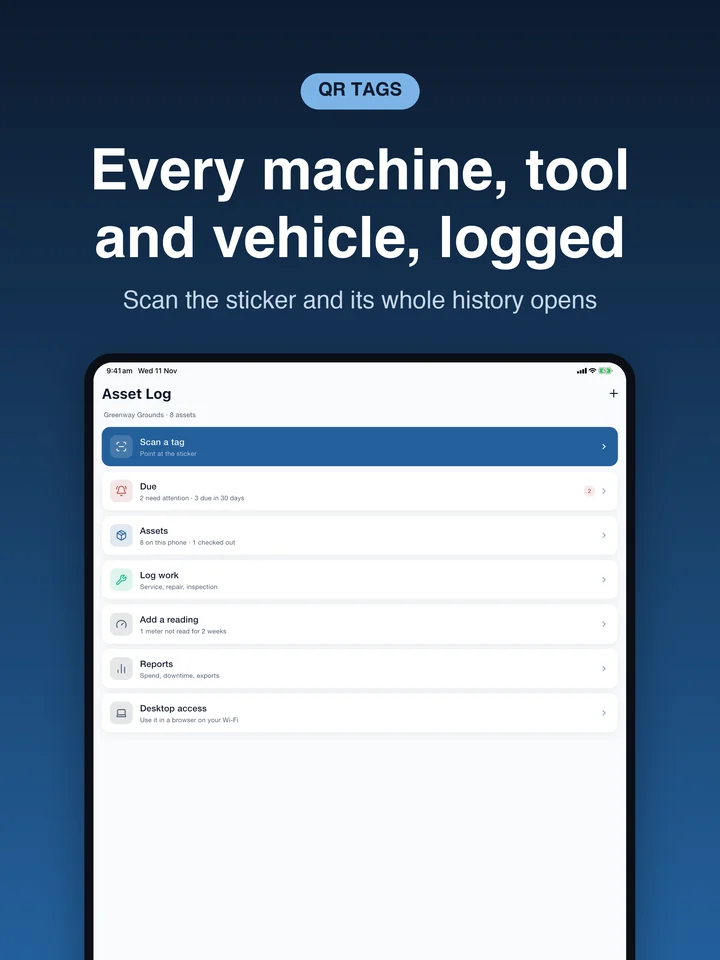
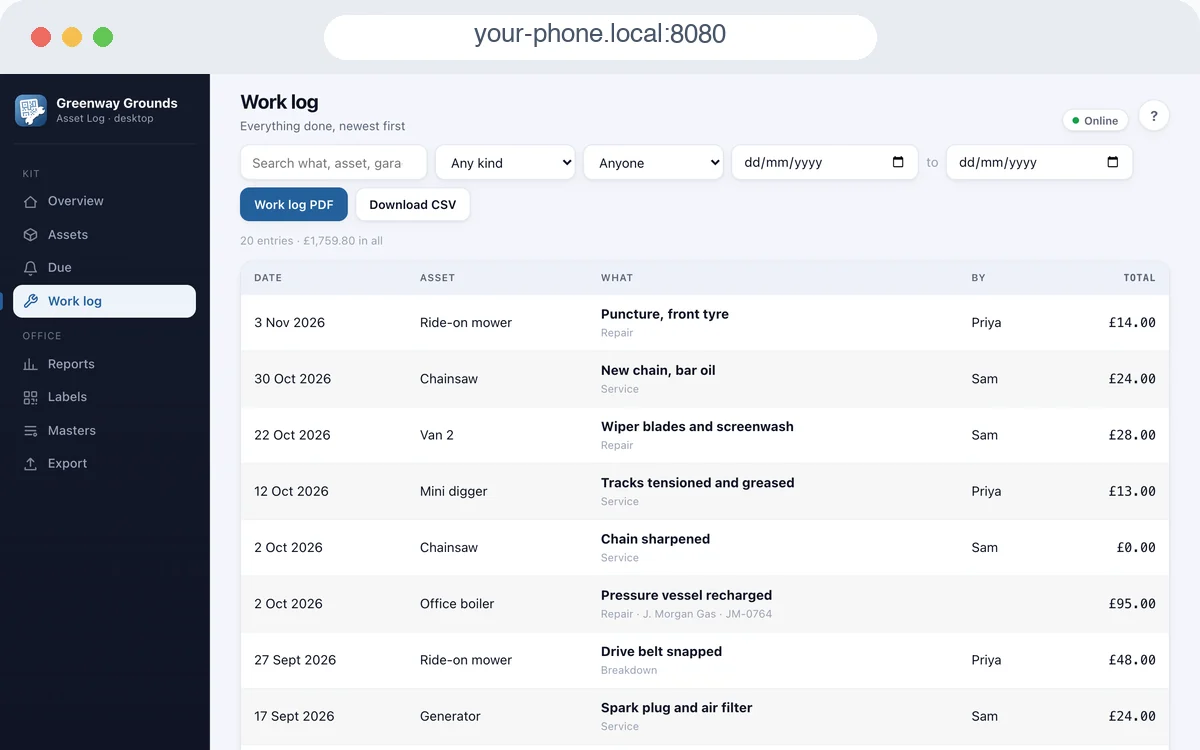
Print QR label sheets from the app, for common A4 and US Letter label packs and for Brother and Dymo label rolls. Scan a sticker with the camera and the asset opens at once. Log a service, repair or inspection in seconds: what was done, who did it, labour, parts and their cost, and photos of the work. Already have barcodes or tags on your equipment? Adopt them instead of printing new ones.
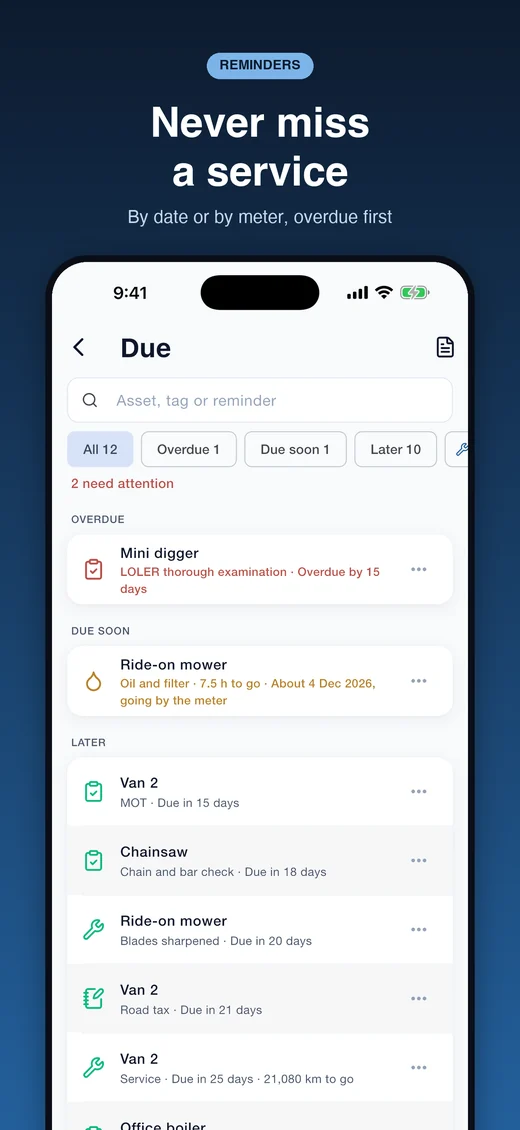
Never miss what is due
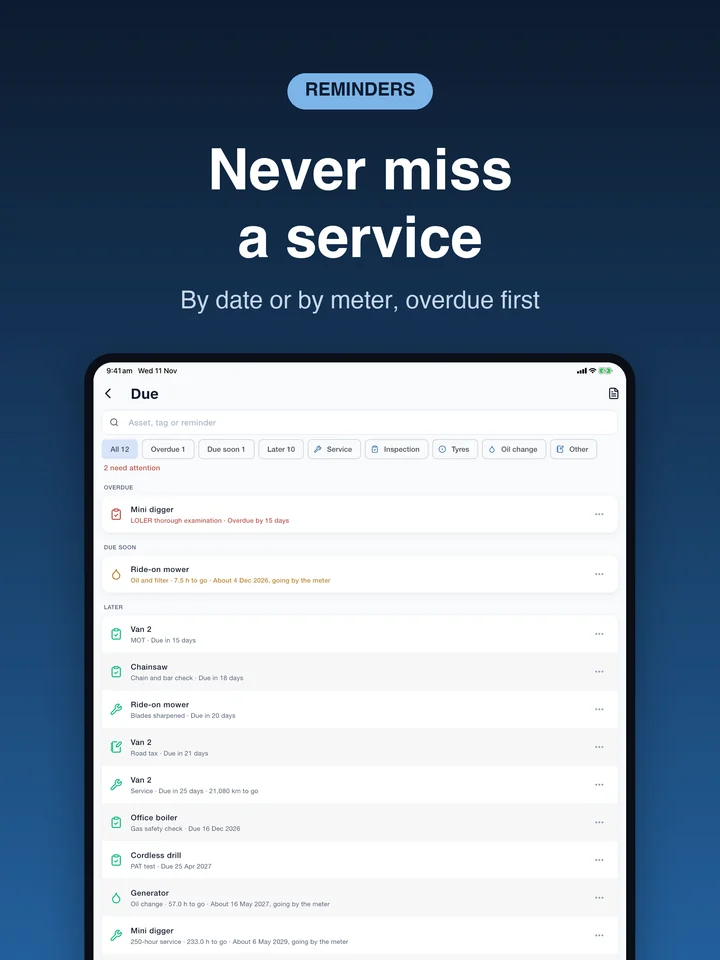
Set reminders by date, by meter, or whichever comes first: every 12 months or every 250 hours. Meters run in hours, kilometres or miles, and the next service date is estimated from how fast the meter moves. One Due list covers everything you own, overdue first, with search and filters, and a daily notification arrives at the time you choose.
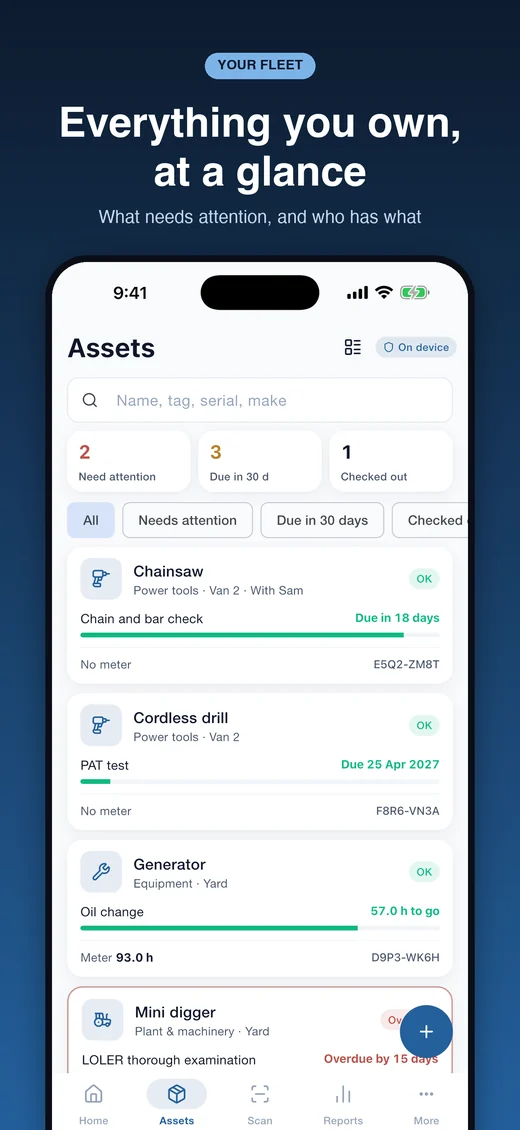
Know what you have and who has it
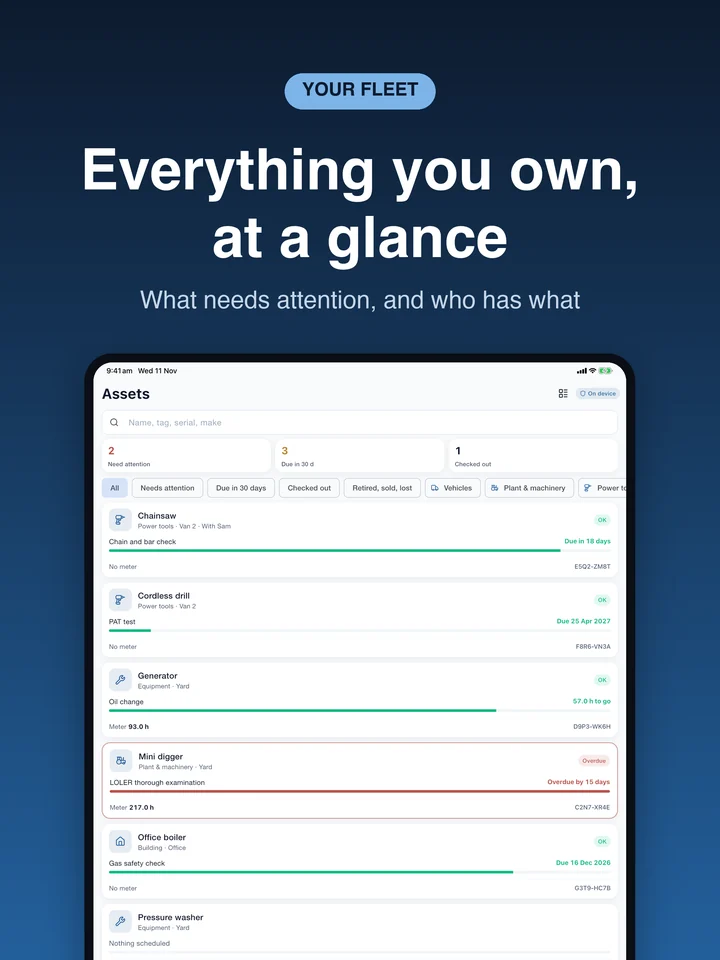
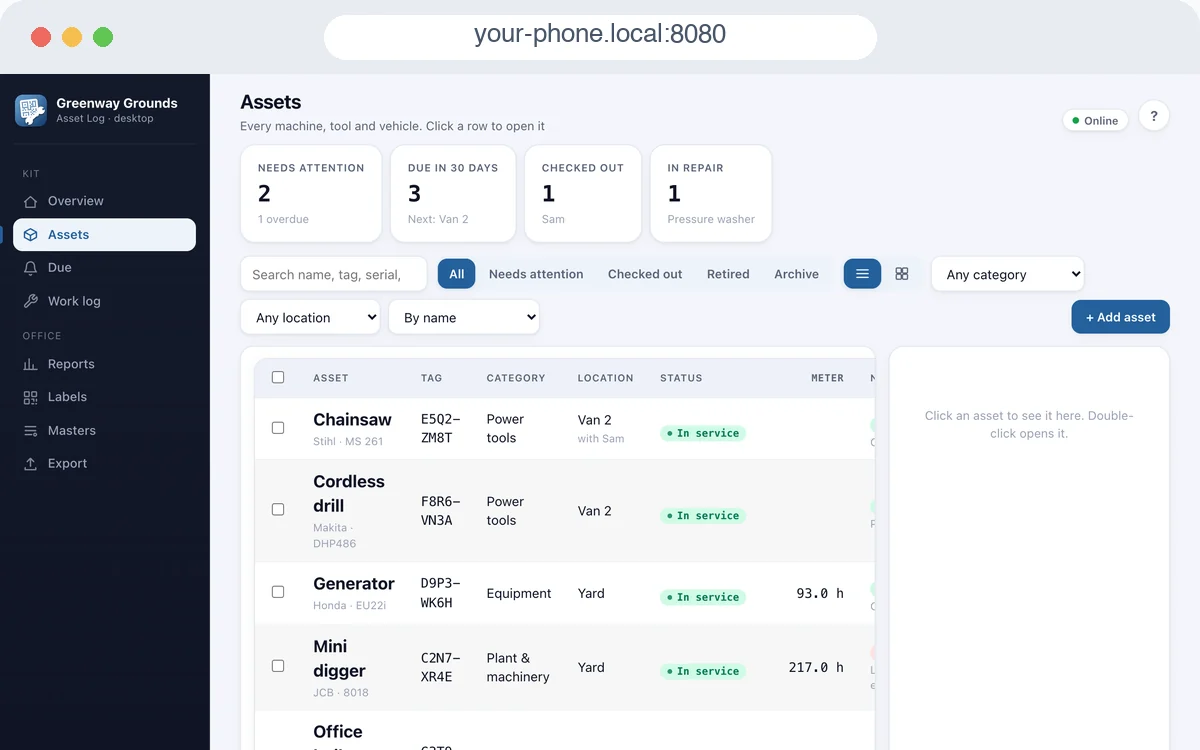
Every asset carries its photo, serial and registration numbers, make and model, purchase cost, warranty date and location. Check a tool out to a person and back in again. Categories, locations, people and suppliers are set up once, and you can search by name, tag, serial, make or place.
On a computer too
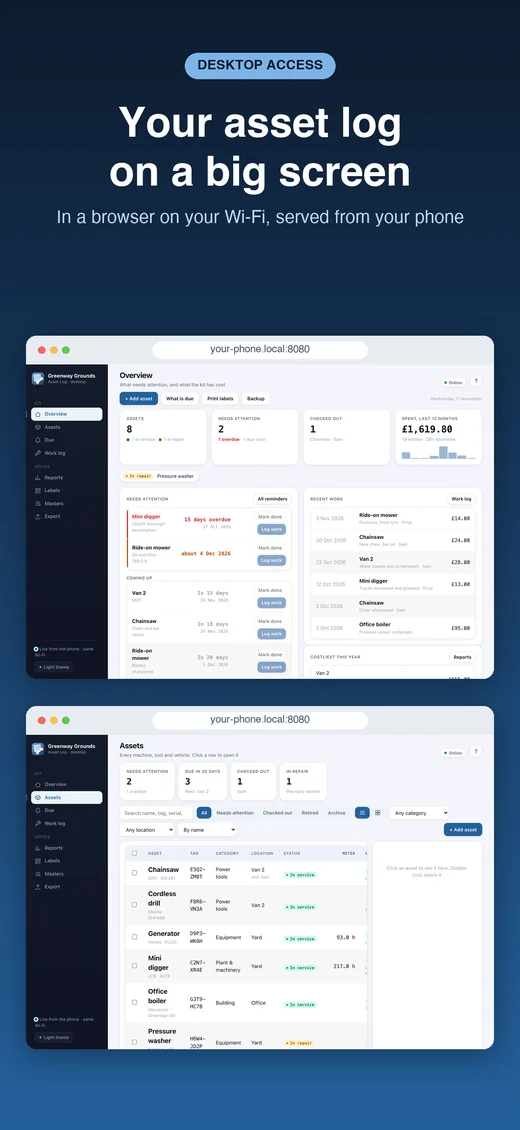
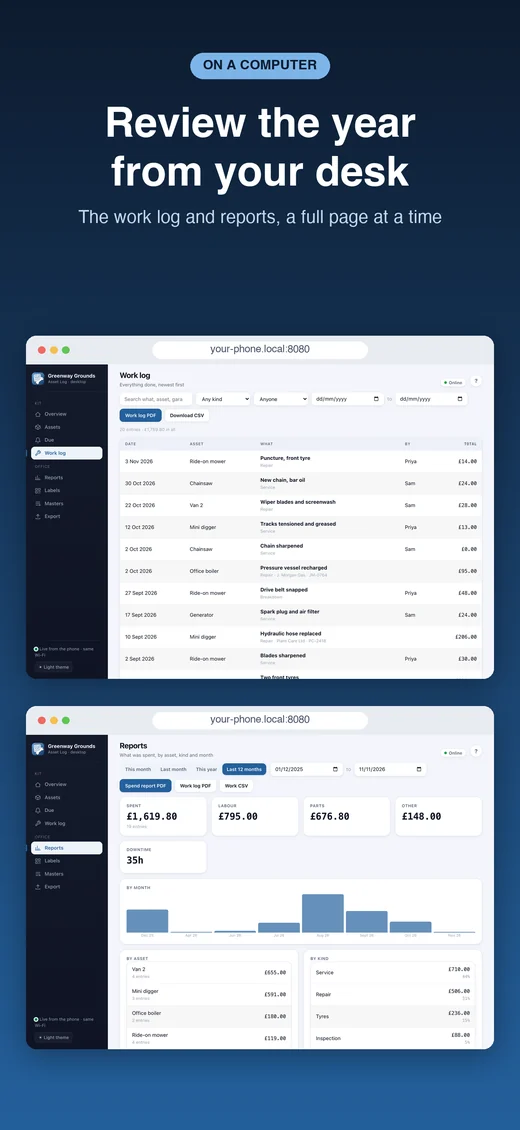
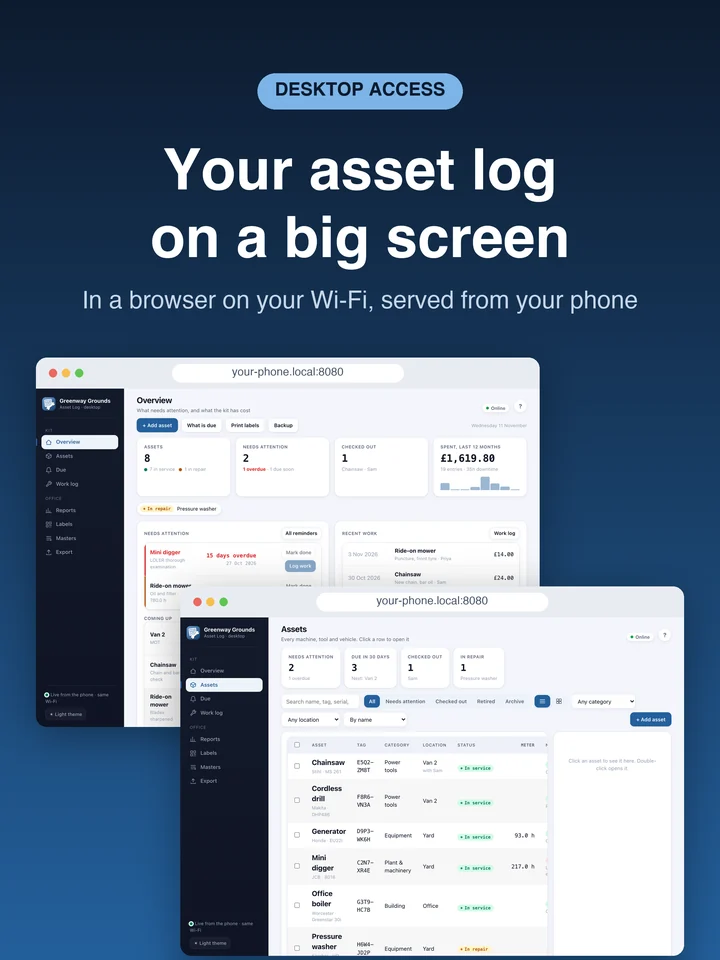
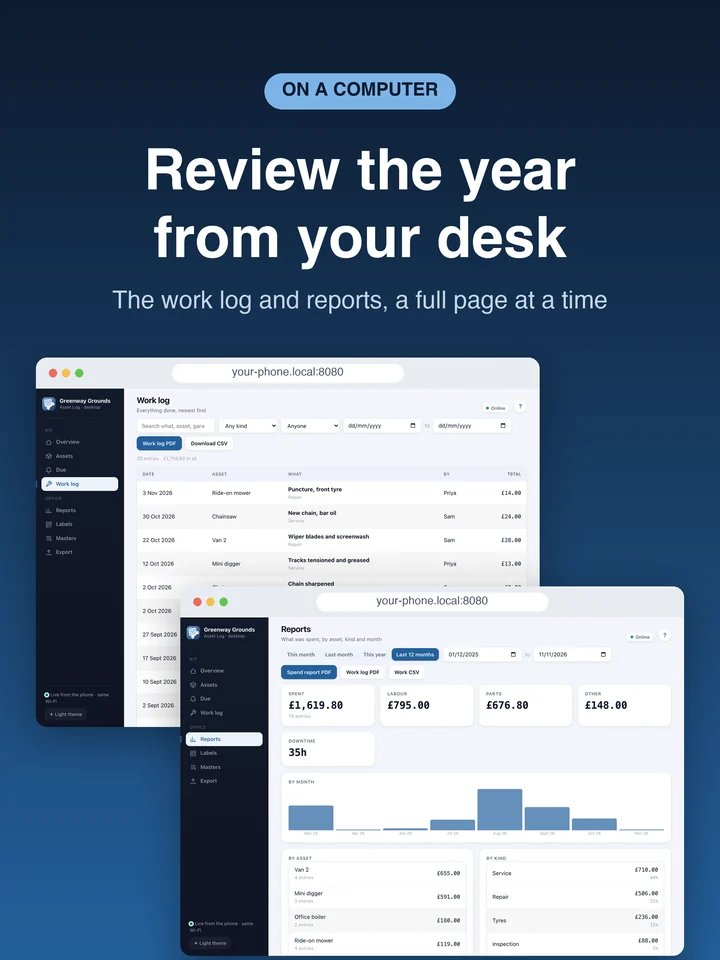
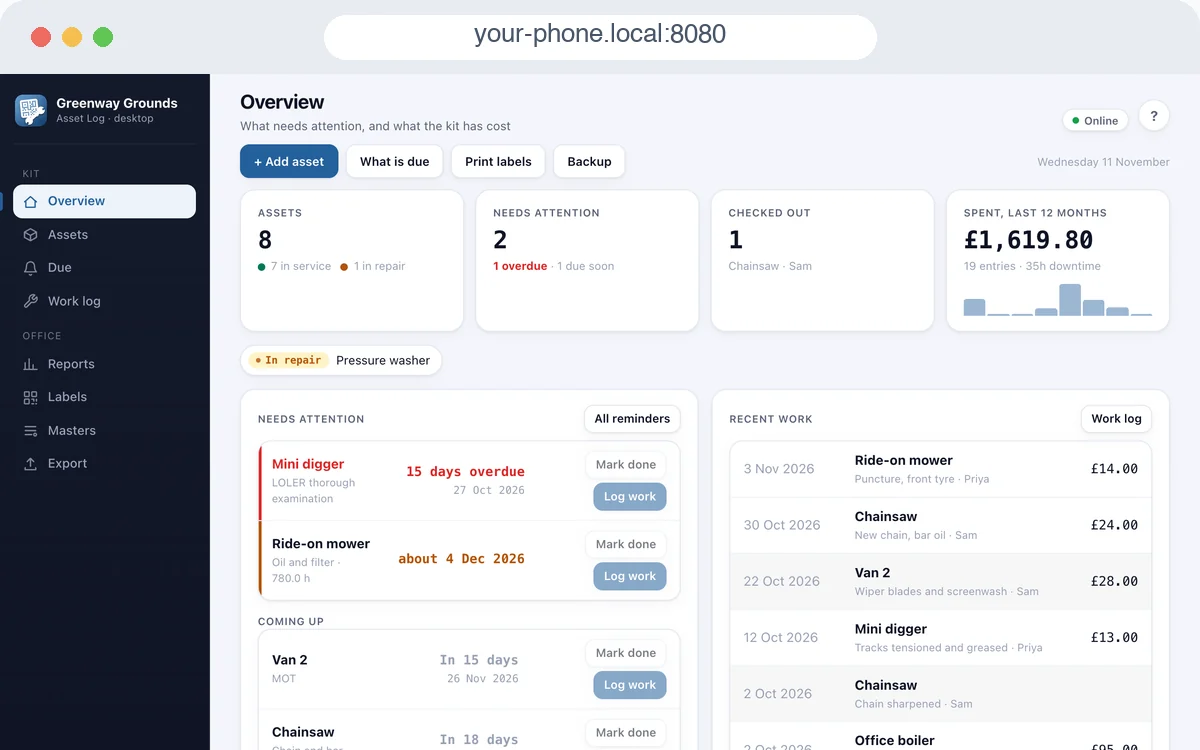
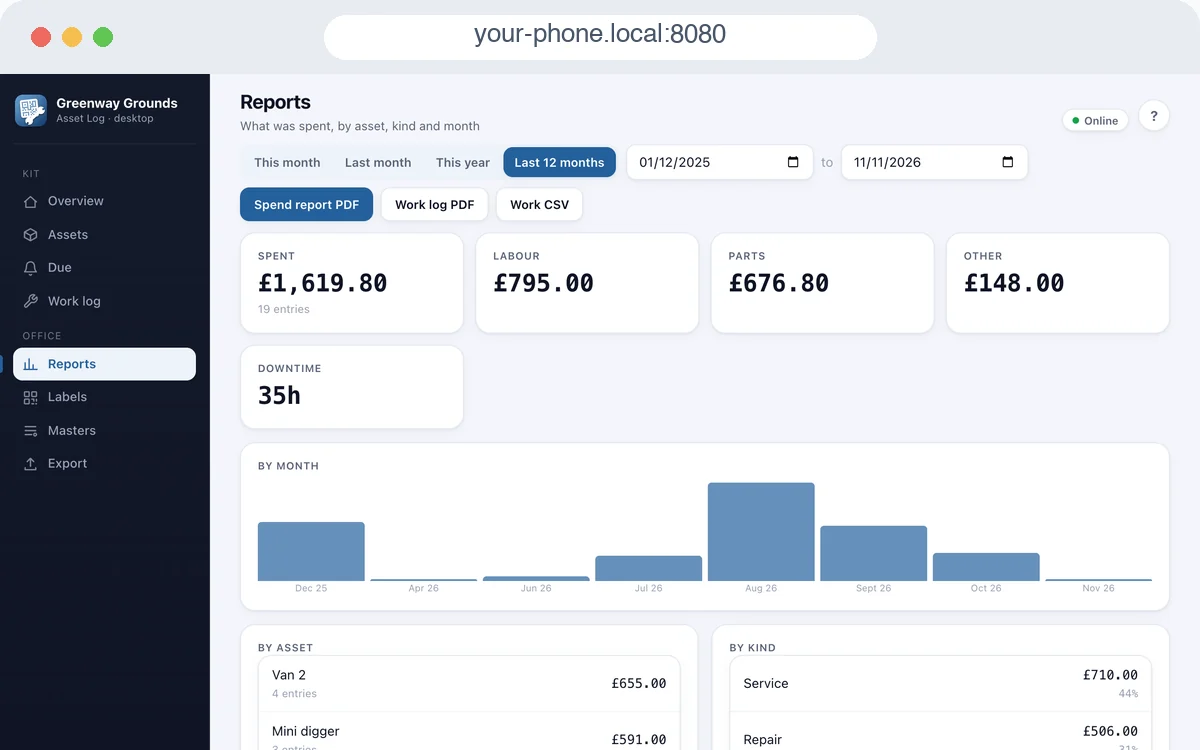
Desktop access shows your asset log in a web browser on the same Wi-Fi, served straight from your phone: a big screen for entering a fleet or reviewing a year. A pairing code keeps it yours, and nothing passes through the internet or our servers.
Reports and exports
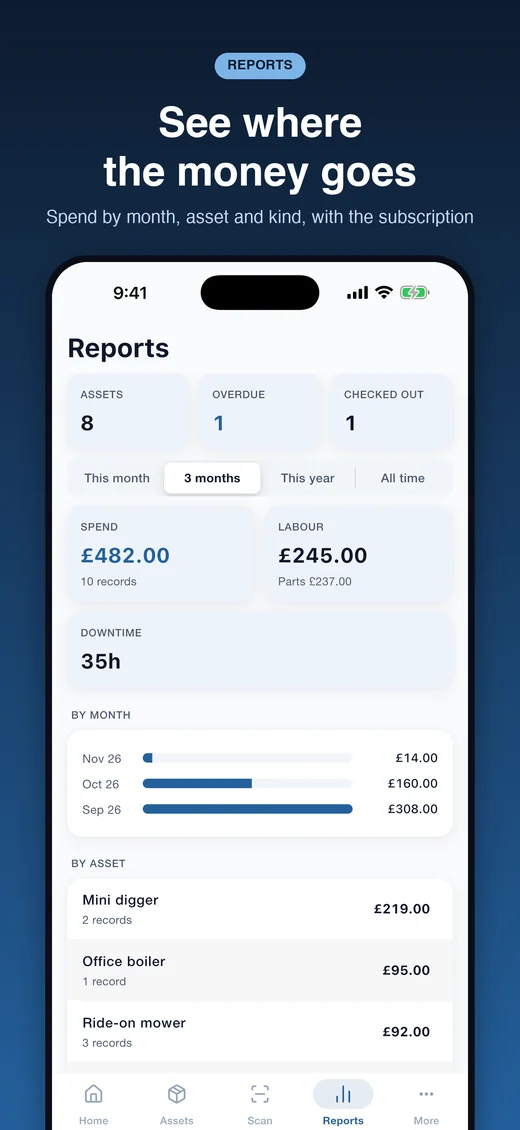
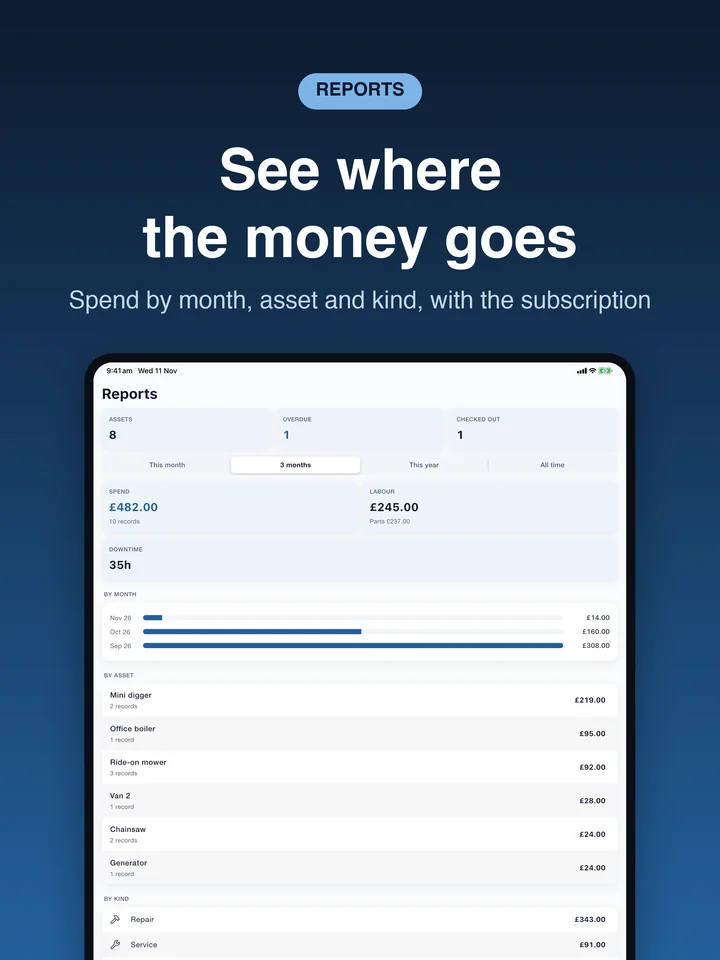
With the subscription: spend by month, by asset and by kind of work, with downtime. The asset register, work log, spend report, reminders list and any asset's full history come out as PDF or CSV files, for the insurer, the accountant or the buyer of a machine.
Your records stay with you
Your assets, records and photos are stored on your phone, not on our servers. Back up to a file you keep wherever you like, with an optional backup to your own iCloud Drive on iPhone and iPad. App lock with Face ID or Touch ID. Backups work on every plan, including after a subscription ends.
Free, with one optional subscription
Free on every plan: unlimited assets, work records, readings, reminders and photos, QR label sheets, Desktop access, and backup and restore. The free version shows adverts: a full-screen advert at most once every 20 minutes, only when you move between tabs. The optional yearly subscription removes the adverts and adds reports and exports.
Good to know
Asset Log keeps its records on one phone or tablet. It does not sync between devices or team members; move to a new phone with a backup. It is a record-keeping aid: it does not certify that equipment is safe or legal to use, and it does not replace the inspections and tests the law requires.
On iPhone
The App Store pictures, with a made-up grounds business
On iPad
The same app on a bigger screen
On a computer
Desktop access, in a browser on the same Wi-Fi as the phone
How to use Asset Log
Every screen and switch, in the order you meet them.
First run
No account and no sign-in. Two taps and you are in.
- Tap Get started, then Start. Enter your business name, currency and label sheet under More.
- To look round first, load the sample business: More, Getting started, Try it with sample data. Delete it from the same place.
- Set up your categories, locations, people and suppliers once under More, Masters.
Assets and tags
- Add an asset with the plus button: name, photo, make and model, serial number, where it lives.
- Print a sheet of QR labels from More, Label sheet, or one label from the asset's page, and stick it on.
- Open the Scan tab and point at a sticker; the asset opens. "Type the code" does the same without a camera.
Work, meters and reminders
- Log work from an asset's page or from Home: what was done, who did it, labour, parts, cost and photos.
- Add a meter reading in hours, kilometres or miles whenever you pass the machine.
- Add a reminder by date, by meter, or both. The Due list shows everything coming up, overdue first.
Desktop access
- Open More, Desktop access (or the card on Home) and switch it on.
- On a computer on the same Wi-Fi, open the address shown and type the pairing code.
- Keep the app open on the phone while you work; the pages are served from it.
Backup and safety
- Save a copy from More, Backup, and keep it somewhere other than the phone. On iPhone and iPad you can also turn on iCloud backup.
- Turn on the app lock under More, Security.
- The full step-by-step guide, with screenshots, is at brightscalelabs.com/asset-log/guide/.
At a glance
- Platforms
- iPhone and iPad (iOS 15 or later), and Android 7 or later
- Price
- Free, with a full-screen advert at most every 20 minutes. An optional yearly subscription, £12.99 a year in the UK, removes the adverts and adds reports and exports
- Languages
- English
- Your data
- On your device only; backups are files you keep wherever you choose
- Status
- On the App Store and Google Play since November 2026
In short
Get Asset Log
Free, with everything kept on your phone.
Scan with your phone's camera to get it on your phone Asset Log in three minutes
Three minutes, every screen.
Other brands
-
FinToolSuite
Personal finance and investment calculators that remove the guesswork.
-
FireMathLab
FIRE and retirement-date calculators that show their working.
-
BuildMetricLab
Construction and engineering calculators for faster, sharper estimates.
-
FitMetricLab
Fitness and health metric tools that turn data into progress.
-
PrintablesWorld
Printable kits, planners, puzzles, and smart PDF utilities.
-
RunTheTests
Free browser-based device, network, and privacy tests.
-
MotorMath
Pure-math car calculators for total cost of ownership and EV comparison.
-
PlainEstimate
Estimates and invoices that stay on your own machine.
-
Expense Diary
A local-first spending diary for iPhone, iPad and Android: safe to spend, bills, jars, reports and a road to financial independence.
-
Plain Estimate: Invoice Maker
Quote at the door, get it signed on the spot, invoice it later. No account, nothing capped, and your documents stay on your phone.
-
Shop Counter
Ring up sales, count your stock and see who owes you. A till and a stock book in one app, with no account and your data on your phone.
Get Asset Log
Free, with everything kept on your phone.
Scan to get it
on your phone